Best Nutrient Tracker Apps for Vitamins and Minerals
Disclosure: IntakeAI is made by the team that publishes this guide. We include it where it genuinely fits, say where other apps are a better choice, and do not accept payment from any app listed. Features and prices were checked against official websites and app store listings on 10 October 2026 and can change.
What is the best app to track vitamins and minerals from food?
The best nutrient tracker for most people is IntakeAI: it estimates 13 vitamins, 11 key minerals and 50+ nutrients from a single meal photo, and its "Fix your missing nutrients" screen suggests foods for today's or this week's gaps, all in one subscription. Cronometer tracks more, up to 84 nutrients on its free plan from a curated NCCDB and USDA database, and is the better choice if you want maximum depth and don't mind logging by search or barcode. Choose MacroFactor if you also want calorie targets that adapt.
Our criterion for "most people" is coverage per minute of effort. Logging takes real time: in a 24-week study of 142 adults in an online weight-loss program, participants spent an average of 23.2 minutes a day self-monitoring in the first month, and those who lost at least 5% of their weight logged in more often. A tracker that turns one photo into a full vitamin and mineral breakdown asks for less of that time than searching and weighing each ingredient. That study measured weight loss, not micronutrient intake, so treat it as evidence that effort matters, not that photo logging improves your diet.
Key takeaways
- IntakeAI ranks first for low-effort tracking: 50+ nutrients, including 13 vitamins, from a meal photo, plus food suggestions for gaps. It has no free tier.
- Cronometer tracks more (up to 84 nutrients) on a free tier, from a curated database, but photo logging needs its paid Gold plan.
- US Nutrition Facts labels only have to list four vitamins and minerals (vitamin D, calcium, iron and potassium), so barcode entries for packaged food often can't give a full micronutrient picture.
- Photo logging makes micronutrient tracking faster, but a portion error flows into every nutrient. We found no independent test of photo-logged micronutrients for these apps.
- An app's gap report is a prompt to change foods, not a diagnosis. Ask a clinician before supplementing.
How we compared these apps
We did not test the apps hands-on. Nutrient counts, tiers and prices come from official websites, help centers and US App Store or Google Play listings, checked on 10 October 2026. Where an app does not publish how many nutrients it tracks, we say "not stated" instead of guessing. Claims made only by a company (such as "100+ micronutrients") are labeled as claims. Accuracy evidence comes from peer-reviewed studies of food-tracking databases.
Quick picks
- Best nutrient tracker for most people: IntakeAI — 13 vitamins, 11 key minerals and 50+ nutrients from a meal photo, barcode, label or text, plus "Fix your deficiencies" food suggestions.
- Best for maximum micronutrient depth: Cronometer — up to 84 nutrients and compounds on the free Basic tier, from a curated NCCDB and USDA database.
- Best for micronutrients plus adaptive targets: MacroFactor — a configurable Nutrient Explorer and 26,500 research-grade, micronutrient-complete entries.
- Best free way to try AI photo micronutrient logging: SnapCalorie — free for up to 3 AI logs a day; its listing claims 100+ micronutrients.
- Best for database size (basic micronutrients only): MyFitnessPal — 20.5M+ foods, but its help center lists five micronutrients.
Vitamin and mineral tracking compared
"Not stated" means the company does not publish the figure. Prices are US prices as of October 2026.
| App | Micronutrients tracked (official) | Vitamins and minerals free? | Photo logging | Gap or suggestion feature | US price (Oct 2026) |
|---|---|---|---|---|---|
| IntakeAI | 50+, including 13 vitamins and 11 minerals | No free tier (trial on annual plan) | Included | "Fix your missing nutrients" food suggestions | Subscription (prices shown in app/store) |
| Cronometer | Up to 84 nutrients and compounds | Yes | Gold only | Food suggestions and Nutrition Scores (Gold) | Gold $10.99/mo or $59.99/yr |
| MacroFactor | Configurable Nutrient Explorer; count not stated | No free tier (7-day trial) | Included | Not stated | $11.99/mo or $71.99/yr |
| SnapCalorie | "100+ micronutrients" (company claim) | Not stated | 3 AI logs/day free | Not stated | $19.99/mo or $149.00/yr (App Store) |
| MyFitnessPal | 5 named: vitamins A and C, calcium, iron, potassium | Not stated | Premium | Not stated | $19.99/mo or $79.99/yr (App Store) |
| Lose It! | Not stated | No (Premium) | Premium | Not stated | $79.99/yr |
| Yazio | Not stated | No (Pro) | Pro | Not stated | $47.90 for 12 months (App Store) |
| Lifesum | Not stated | No (extra nutrient detail is Premium) | Premium | Not stated | $99.99 or $119.99/yr (App Store) |
| Foodvisor | Not stated | No ("full meal analysis" is Premium) | Yes; tier not stated | Not stated | Annual price not stated |
Why most apps can't show a full vitamin and mineral picture
An app can only add up the nutrients its food entries contain. Three things decide how complete those entries are.
Labels only require four micronutrients
Under the FDA's labeling rule, 21 CFR 101.9, a US Nutrition Facts panel must list vitamin D, calcium, iron and potassium. Other vitamins and minerals are optional unless they were added to the food or the package makes a claim about them. So a barcode entry copied from a label will often have nothing for magnesium, zinc or vitamin K, even when the food contains them. MacroFactor's help center says the same of its own data: branded foods often lack full micronutrient values.
Databases differ in what they store
When Dutch researchers scanned 100 products with seven diet apps, MyFitnessPal returned values for 16 nutrients while Virtuagym Food and Yazio returned only four. The authors concluded that barcode apps were useful for energy but "less suitable for assessments on the nutrient level." That was published in 2019, and apps have changed since, but the cause has not: lab-analyzed sources such as USDA FoodData Central measure many more nutrients than a label shows.
Crowdsourced entries are weakest on the small numbers
In a Belgian validation study, 50 people kept 4-day records in MyFitnessPal. After the researchers removed extreme values, energy and macros correlated strongly with a reference database (r = 0.90 to 0.96), but sodium and cholesterol correlated only weakly (about 0.5). The 2025 Canadian study of 43 athlete food records found Cronometer valid for all nutrients except fiber and vitamins A and D. The authors suggested vitamin A and D gaps may come from fortification differing between brands and countries, which no database fully solves. Both studies are small, and trained researchers did the data entry.
Track calories & nutrients fast


Which nutrients are worth watching first?
A US NHANES analysis of 16,110 people (2003 to 2006 data) found many had total intakes below the estimated average requirement for vitamin D (70%), vitamin E (60%), magnesium (45%) and calcium (38%), and only 3% exceeded the adequate intake for potassium. The data is older, but it shows why a tracker that covers magnesium, potassium and vitamin D is more useful than one stopping at vitamins A and C. Our guide to calorie counters that track vitamins and minerals covers which nutrients matter and how to act on gaps.
How to test a nutrient tracker in one week
You can check any app during a free tier or trial:
- Log one ordinary day fully. Include at least one packaged food, one home-cooked meal and one restaurant or takeout item.
- Open a whole food. Check that an egg, a banana or spinach shows magnesium, potassium, folate and vitamin K, not just the label four.
- Open a scanned product. See whether blank nutrients are marked as missing or silently counted as zero, which would make your totals look lower than they are.
- Compare one food with USDA FoodData Central. Search the same food on the free USDA site and compare a few vitamins and minerals per 100 g.
- Check your targets. Confirm the app sets targets for your age and sex rather than one generic number for everyone.
- Look at a week, not a day. Micronutrient intake varies a lot day to day, so judge gaps on a weekly view.
The apps, from a vitamins and minerals angle
IntakeAI: best nutrient tracker for most people
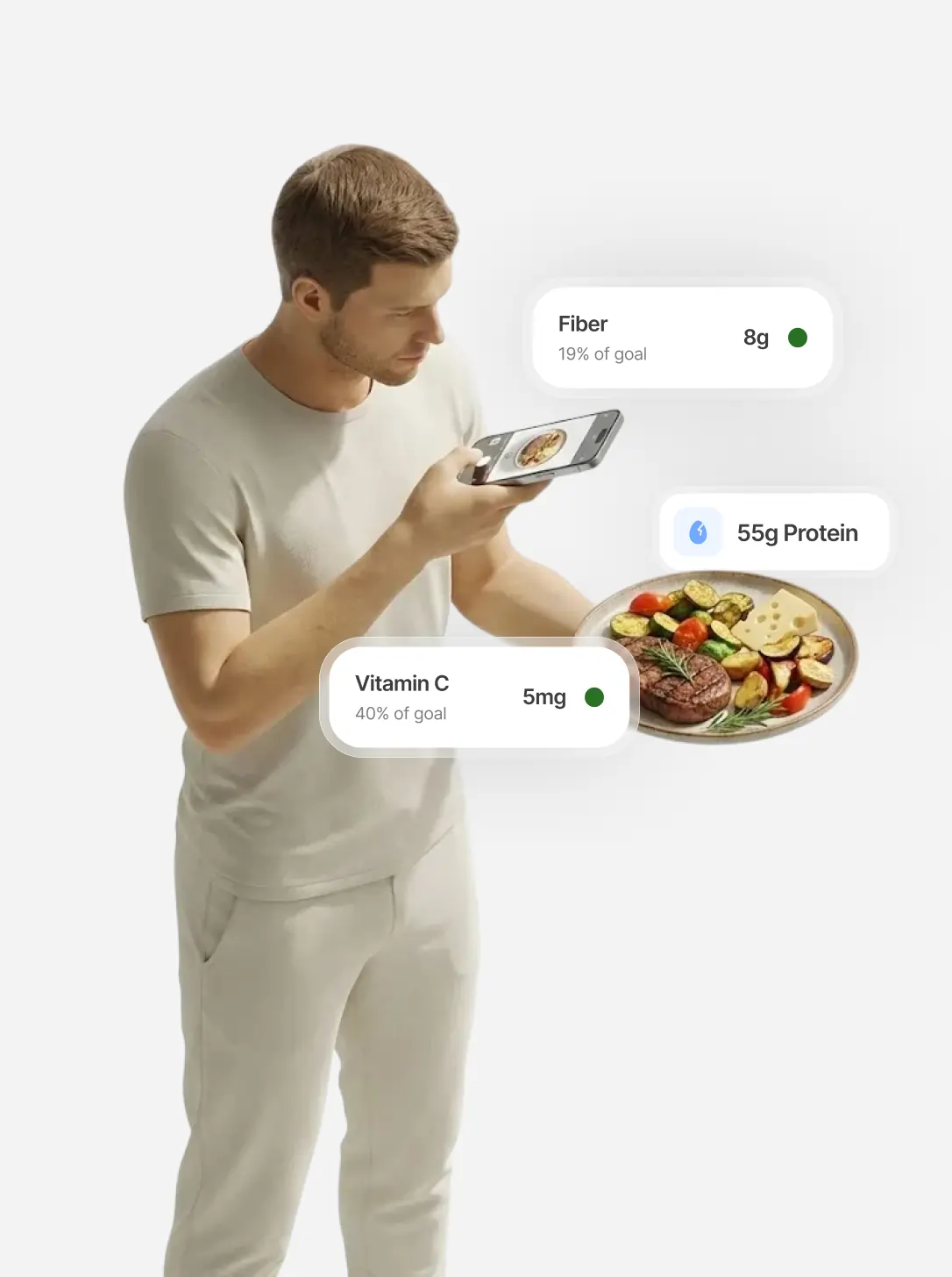
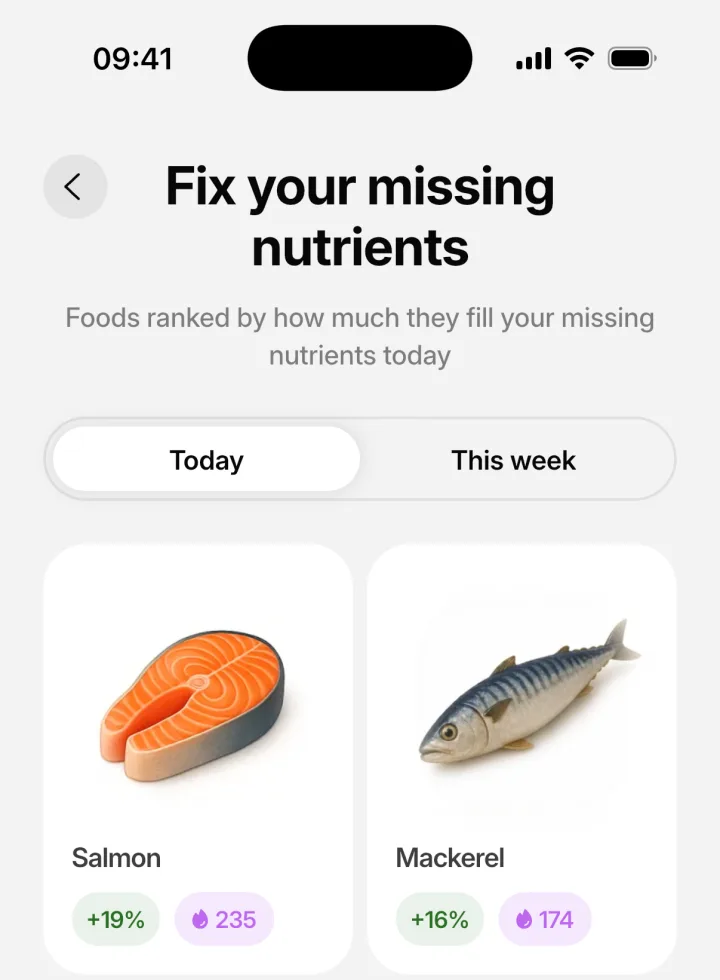
IntakeAI is an iPhone and Android nutrition app designed to help you reduce cravings. It estimates calories, macros and 50+ nutrients from a meal photo, barcode, nutrition-label scan or typed description, with a food search backed by USDA FoodData Central. Each meal shows 13 vitamins (A, the B group, C, D, E and K), 11 minerals including magnesium, zinc, iodine and selenium, amino acids and omega-3 and omega-6. Micronutrient targets are scaled by your body weight and sex, and the "Fix your missing nutrients" screen suggests foods that fill today's or this week's gaps.
Each meal also gets a 0–10 Cravings control score, an estimate built from protein, fiber, calorie density, processing level and satiety-related nutrients such as potassium, magnesium and zinc, with two tips to make the meal more filling. The limits: IntakeAI needs a paid subscription (free trial on the annual plan), and it has no voice logging, Apple Health sync or AI coach. Photo estimates can be off on portions, which moves every nutrient with them, so edit the portion when it looks wrong. There is no published accuracy figure for IntakeAI, and it tracks fewer nutrients than Cronometer.
Cronometer: best for maximum micronutrient depth
Cronometer's Gold page says both the free and paid tiers track up to 84 nutrients and other compounds, with custom micronutrient targets. Its database comes mainly from NCCDB and USDA data, and user-submitted foods are reviewed by a curation team. Its App Store listing claims "95+" nutrients, so the count is not stated consistently; we use the website's figure. Limits: free reports cover a 7-day window, the free tier shows ads, and photo logging, food suggestions and Nutrition Scores need Gold. Choose Cronometer instead of IntakeAI if you want the most detailed vitamin and mineral data, a free plan, and don't mind logging by search or barcode.
MacroFactor: best for micronutrients plus adaptive targets
MacroFactor's Nutrient Explorer lets you choose which micronutrients to track, and the company describes 26,500 "micronutrient-complete, research-grade" entries. It does not state a total nutrient count, and its help center notes branded foods often lack full micronutrient data. The bigger draw is its adaptive algorithm, which adjusts calorie and macro targets weekly. No free tier; 7-day trial. Choose MacroFactor instead if adaptive calorie targets matter more to you than nutrient depth.
SnapCalorie: best free way to try AI photo micronutrient logging
SnapCalorie's App Store listing claims "100+ micronutrients including vitamins, minerals, and amino acids" and 500k+ foods verified against USDA data. Its FAQ says it is free for up to 3 AI logs a day, though that page may be older. The company reports about 15% average calorie error, based on its own research model rather than an independent test of the current app, and its FAQ calls hidden oils and sugar "an educated guess." Whether the full micronutrient list is free is not stated.
MyFitnessPal: best for database size, not micronutrients
MyFitnessPal has the biggest stated database here (20.5M+ foods). But its help article on vitamins and minerals says it tracks vitamin A, vitamin C, calcium, iron and potassium. That article dates from 2019, so check the app, but it is a fraction of what dedicated trackers show. Choose it if you mainly track calories and macros and want only a basic micronutrient check.
Others: Lose It!, Yazio, Lifesum, Foodvisor and Appediet
Lose It! lists vitamins and minerals under Premium "Advanced Tracking." Yazio puts them in Pro's detailed nutrition, Lifesum's Premium adds nutrients such as sodium, fiber and cholesterol, and Foodvisor's Premium includes "full meal analysis." None publishes a count. Appediet's listing claims 108 nutrients, which we could not verify.
How to choose a vitamin and mineral tracker
- Want vitamins and minerals with the least effort? Choose IntakeAI: log by photo, barcode or text, review portions, and use "Fix your missing nutrients" for gaps.
- Want maximum detail, or a free plan? Choose Cronometer and log by search or barcode; Cronometer Gold adds photo logging.
- Want help closing gaps? Look for food suggestions: IntakeAI's "Fix your deficiencies" or Cronometer Gold's food suggestions.
- Mainly care about weight? MacroFactor's adaptive targets may matter more than nutrient depth.
- Managing a condition or pregnancy? Share your log with a registered dietitian rather than relying on app targets alone.
For every use case side by side, see the best apps for cravings, calories and nutrients in 2026. If barcode scanning and macros matter most, see the best macro trackers with a barcode scanner, and if you mostly want less logging effort, see the best diet apps for people who hate logging food. For the method behind it, read the easiest way to track calories, macros and nutrients.
Frequently asked questions
Which app tracks the most vitamins and minerals?
Among widely used trackers, Cronometer publishes the deepest coverage: up to 84 nutrients and other compounds, on both its free and paid tiers. SnapCalorie's listing claims 100+ micronutrients and Appediet's claims 108 nutrients, but those are company claims we could not check independently.
Can a free app track micronutrients?
Yes. Cronometer's free Basic tier tracks up to 84 nutrients with custom micronutrient targets, though free reports are limited to a 7-day window and the free tier shows ads. Lose It!, Yazio and Lifesum put vitamin and mineral detail behind their paid plans.
Does MyFitnessPal track vitamins and minerals?
Partly. MyFitnessPal's help center says it tracks vitamin A, vitamin C, calcium, iron and potassium, alongside macros, sodium, sugar and fiber. That article dates from 2019, so check the app, but it is far fewer than dedicated nutrient trackers show.
Can a photo app accurately track micronutrients?
It can give a useful estimate, but any portion error carries into every nutrient. An NIH conference abstract found four photo apps underestimated meal calories by about a third on average, and we found no independent test of photo-logged micronutrients. Review portions, and use barcode or weighed entries when precision matters.
Should I take supplements if an app shows a nutrient gap?
Not based on an app alone. App figures are estimates and food databases are incomplete. Try food changes first, and talk to a doctor or registered dietitian before supplementing, especially if you are pregnant or take medication.
Related guides
Best Apps to Reduce Cravings and Track Calories and Nutrients (2026)
The full comparison of tracking apps by use case, from photo logging to micronutrients.
READ MORE
Best Macro Tracker Apps With Barcode Scanner and Photo Logging for Fat Loss
Which macro apps suit fat loss, which keep barcode scanning free, and how database quality changes your macros.
READ MORE
Best Diet Apps for People Who Hate Logging Food
The lowest-effort ways to track what you eat, from photos to saved meals.
READ MORESee the vitamins and minerals in every meal
IntakeAI estimates 50+ nutrients from a photo, barcode, label or text, compares them with targets for your body weight and sex, suggests foods to fill the gaps, and scores each meal for fullness.
Sources
- Harvey J, et al. (2019). Log often, lose more: electronic dietary self-monitoring for weight loss. Obesity. PubMed
- U.S. Food and Drug Administration. 21 CFR 101.9: Nutrition labeling of food. eCFR
- Maringer M, et al. (2019). Food identification by barcode scanning in the Netherlands: a quality assessment of labelled food product databases underlying popular nutrition applications. Public Health Nutrition. PubMed
- Evenepoel C, et al. (2020). Accuracy of nutrient calculations using the consumer-focused online app MyFitnessPal: validation study. Journal of Medical Internet Research. PubMed
- Morello O, et al. (2025). Reliability and validity of nutrient assessment applications for Canadian endurance athletes: MyFitnessPal and Cronometer. Journal of Human Nutrition and Dietetics. PubMed
- Fulgoni VL 3rd, et al. (2011). Foods, fortificants, and supplements: where do Americans get their nutrients? Journal of Nutrition. PubMed
- U.S. Department of Agriculture. FoodData Central. fdc.nal.usda.gov
- Charles O, et al. (2026). Photo-based calorie tracking apps tested against nutrient-controlled meals. NUTRITION 2026 conference abstract (not yet a full peer-reviewed paper), as reported by Healio. Healio
- App features and prices (checked 10 October 2026): Cronometer Gold, Cronometer features, Cronometer data sources, Cronometer App Store; MacroFactor Nutrient Explorer, MacroFactor help, MacroFactor App Store; SnapCalorie App Store, SnapCalorie FAQ; MyFitnessPal vitamins and minerals, MyFitnessPal Premium, MyFitnessPal App Store.
- More app sources (checked 10 October 2026): Lose It! App Store, Lose It! pricing; Yazio Pro, Yazio App Store; Lifesum Premium, Lifesum App Store; Foodvisor App Store; Appediet App Store.
This article is for general education and is not medical advice. If you have a medical condition, an eating disorder, are pregnant, or take medication, speak to a doctor or registered dietitian before changing your diet. IntakeAI's nutrition figures and scores are estimates to guide your choices.